
Tools
Tools that solve problems
Simple answers to complex design problems — from structural analysis to coordination of 3D models. Easy access to the tools directly in the browser, with nothing to install on your computer.

Union
Models from all disciplines as one
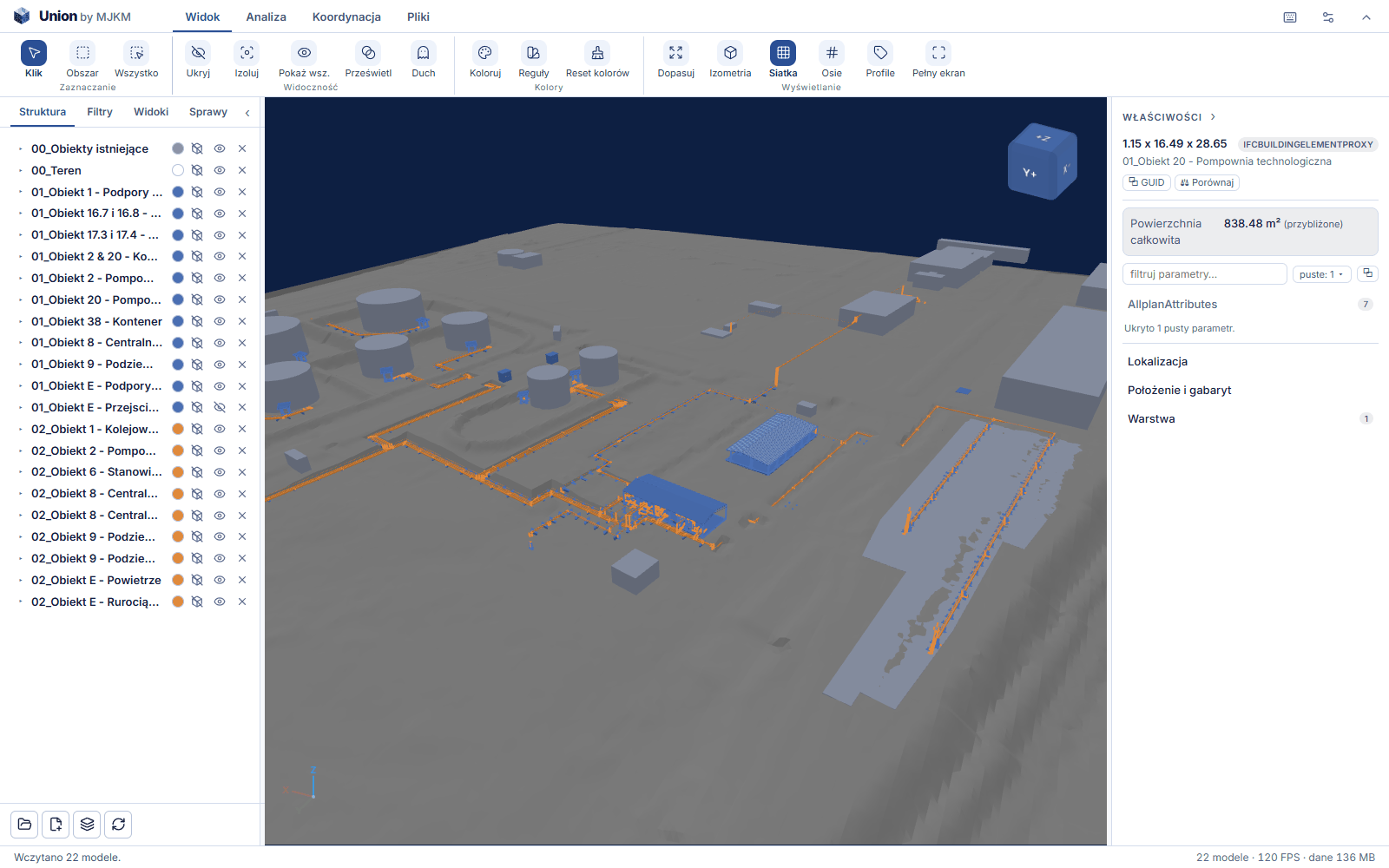
Union merges IFC models from all disciplines into one, lets you section, measure and comment on them, manages coordination issues and saves the merged model as a single IFC file — one that any program reading this format can open.
Union
IFC model coordination viewer.
One model from many files
Structure, architecture and services open together, with no conversion and no waiting for someone else's export — also over a DXF drawing underlay.
Issues and a coordination report
Comments are managed as issues with a status and an assignee, attached to model views. A single PDF report at the end.
The model never leaves your computer
Union runs in the browser. Model files are not sent to any server — neither ours nor anyone else's.

Calc
Everyday checks
Calc helps to check structural problems and compare alternative solutions. The calculations follow the relevant rules of the Eurocode suite of standards, and the full calculation procedure makes it possible to trace the formulas used and the results obtained. Depending on the problem, they are supplemented by charts and comparison summaries.
Calc
Calculators for checking structural problems.
Calculations to the Eurocodes
The calculation algorithms use the relevant rules of the Eurocode suite of standards. Depending on the problem, the calculator determines a result or checks the serviceability limit state (SLS) or ultimate limit state (ULS) conditions.
Full calculation procedure
The calculators show the formulas used, the substitutions and the intermediate results. This makes it possible to trace the successive stages of the calculation and verify the result obtained.
Summary and comparison of results
In selected calculators the result for the adopted solution is set against the results of other variants. This makes it possible to compare their parameters and assess the effect of changing the section, material or other assumptions.
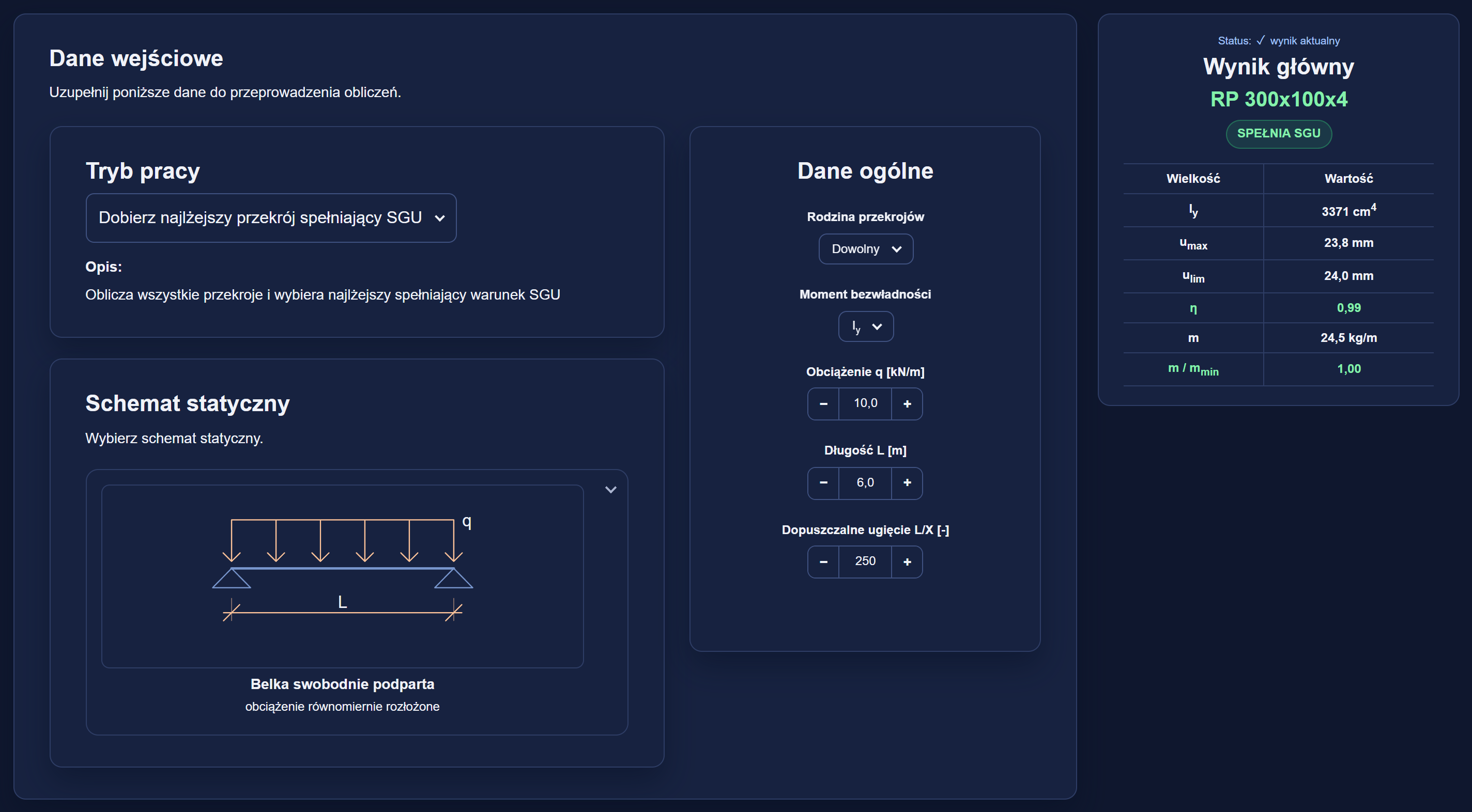
Example: the steel beam deflection calculator (STEEL-UMAX) in the PRO version.

Schedule
Launching soonBar bending and structural steel schedules — from item to document
Items are entered once. Numbers are assigned by the team's rule, the check watches the schedule as you work, and PDF and XLSX are produced from a single model — with the same figures, revisions and mass summary.
Schedule — bar bending schedules
Bar bending schedules from item to document.
- Bar numbering by team rules
- Schedule check on the fly, before issue
- PDF and XLSX from a single model, with revisions
Schedule — structural steel schedules
Structural steel schedules ready for ordering.
- Section catalogue to EN standards
- Mass and surface area for every item
- Fasteners by the piece, welding allowance
Access
Access to the tools
Each tool has a free version that opens without an account. Full versions and licences are arranged individually — please contact us and tell us which tools you need, how many people will use them and whether you would like a short demonstration of the free versions first.
Union
The free version opens one model at a time, with all measurements. The full version adds federation, issues and the coordination report.
Calc
Every calculator can be tried in the free version. The full version covers the complete scope of each package.
Schedule
A pre-release preview: bar bending schedules and structural steel schedules. The launch date will be announced on this site.
Free versions
They open in the browser, without an account and without entering a card. The Union program window is in Polish for now.
Full versions and licences
A licence is assigned to a named user (a seat). Tell us how many seats your team needs and we will reply with the terms.
Try the tools in practice
The free versions of the calculators and Union open without creating an account and without entering a card.