
Standalone tool
Launching soonSchedule — structural steel schedules
Structural steel schedules from item to order. Schedule calculates the mass and the surface area for protection at every item, counts fasteners by the piece, and produces PDF and XLSX from a single model.
Launchcoming soon!
Terms and the launch date will be announced on this page.
How you work in Schedule
From item to issued revision in four steps
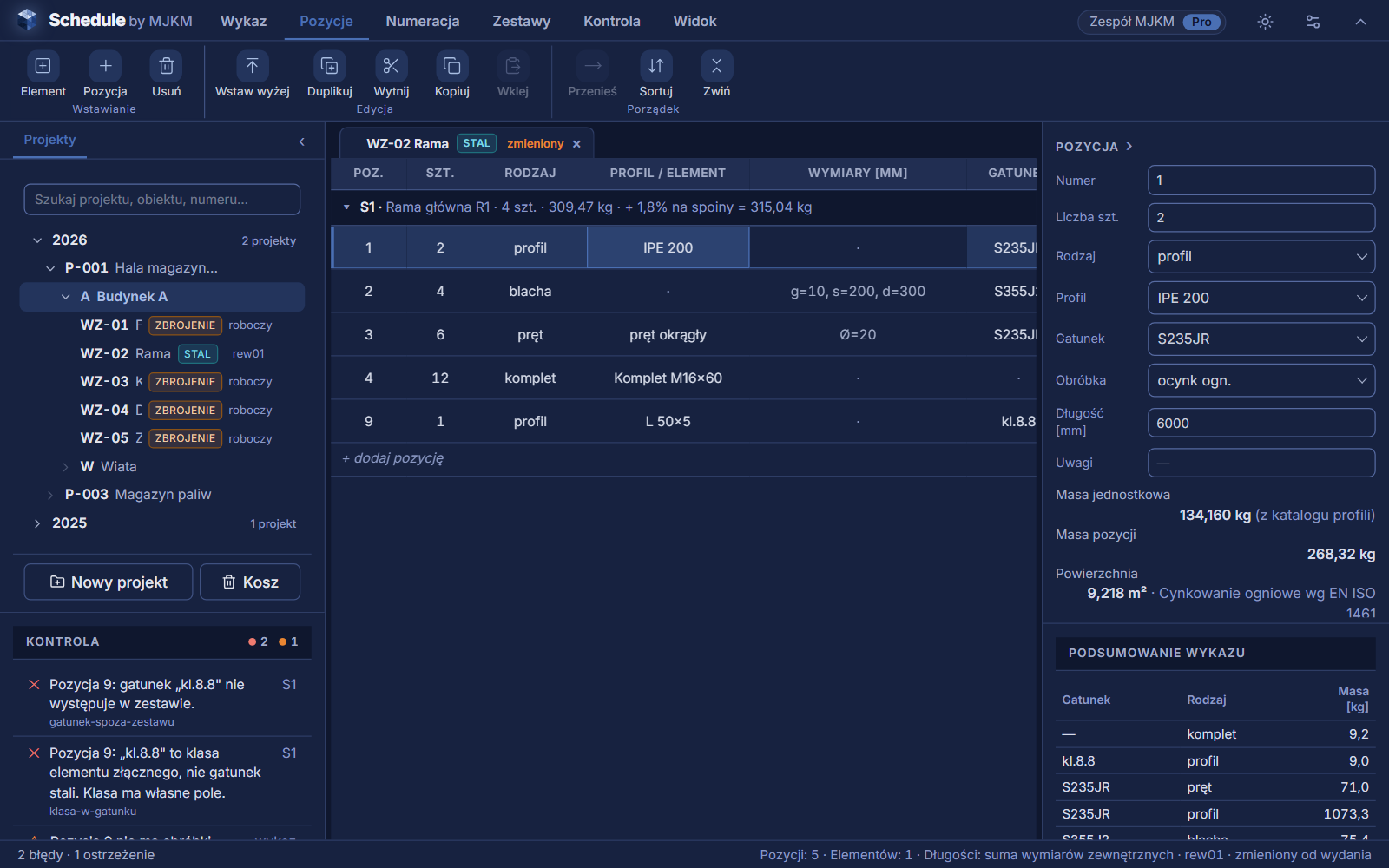
Items are entered in the grid, and the masses, surface areas and fasteners for the order are calculated by the application — with no spreadsheet on the side and no section tables.
01Enter
The item type decides the fields
A rolled section, hollow section, plate, bar, grating, fastener or a set. The type enables only the fields the item needs — for a plate the thickness, width and length, for a section a choice from the catalogue.
02Calculate
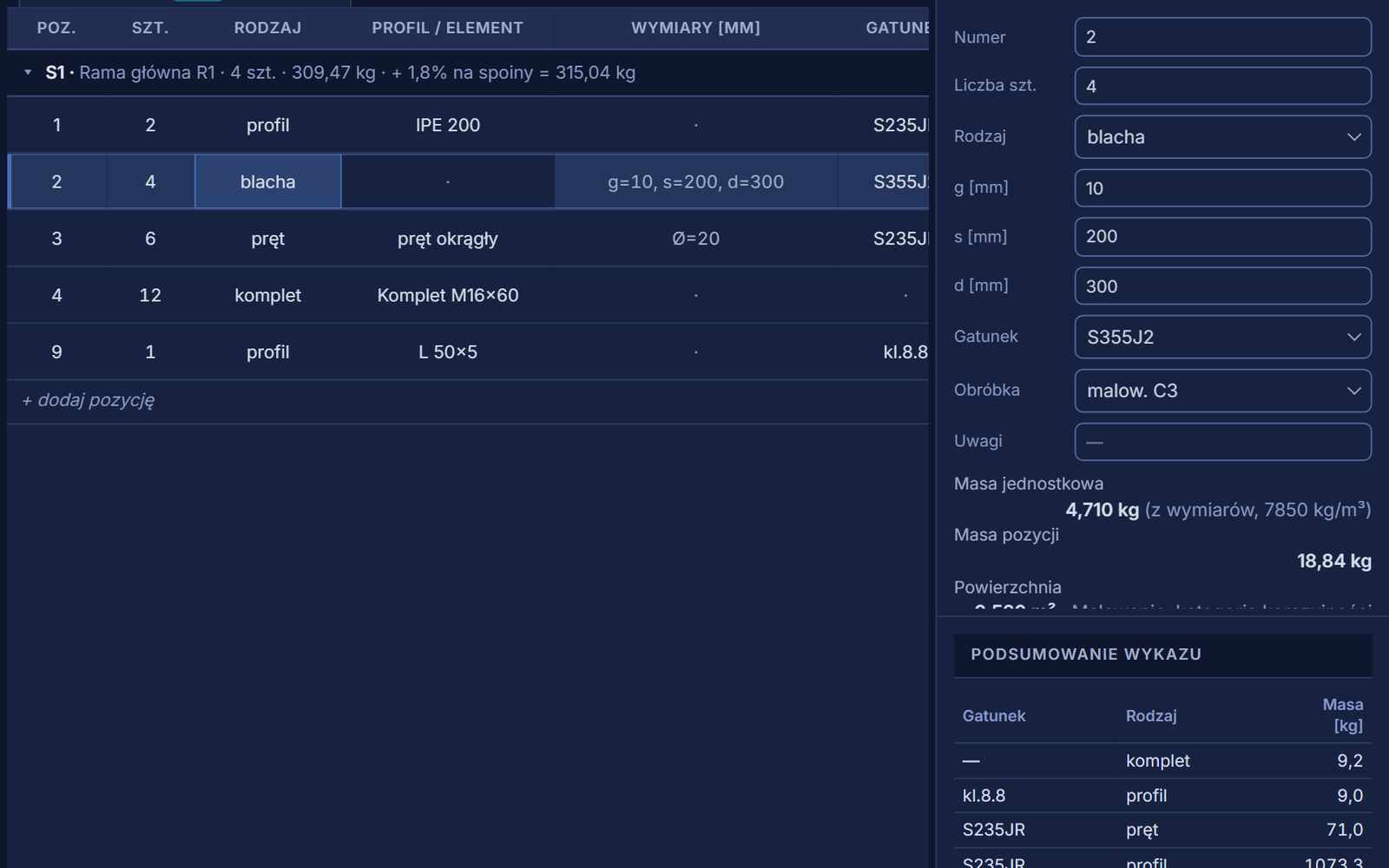
Mass and surface area at every item
The mass of a catalogue section, a plate and a bar — from dimensions at 7850 kg/m³. The surface area for protection is calculated together with the treatment, and the welding allowance is added to the whole schedule or to selected elements.
03Check
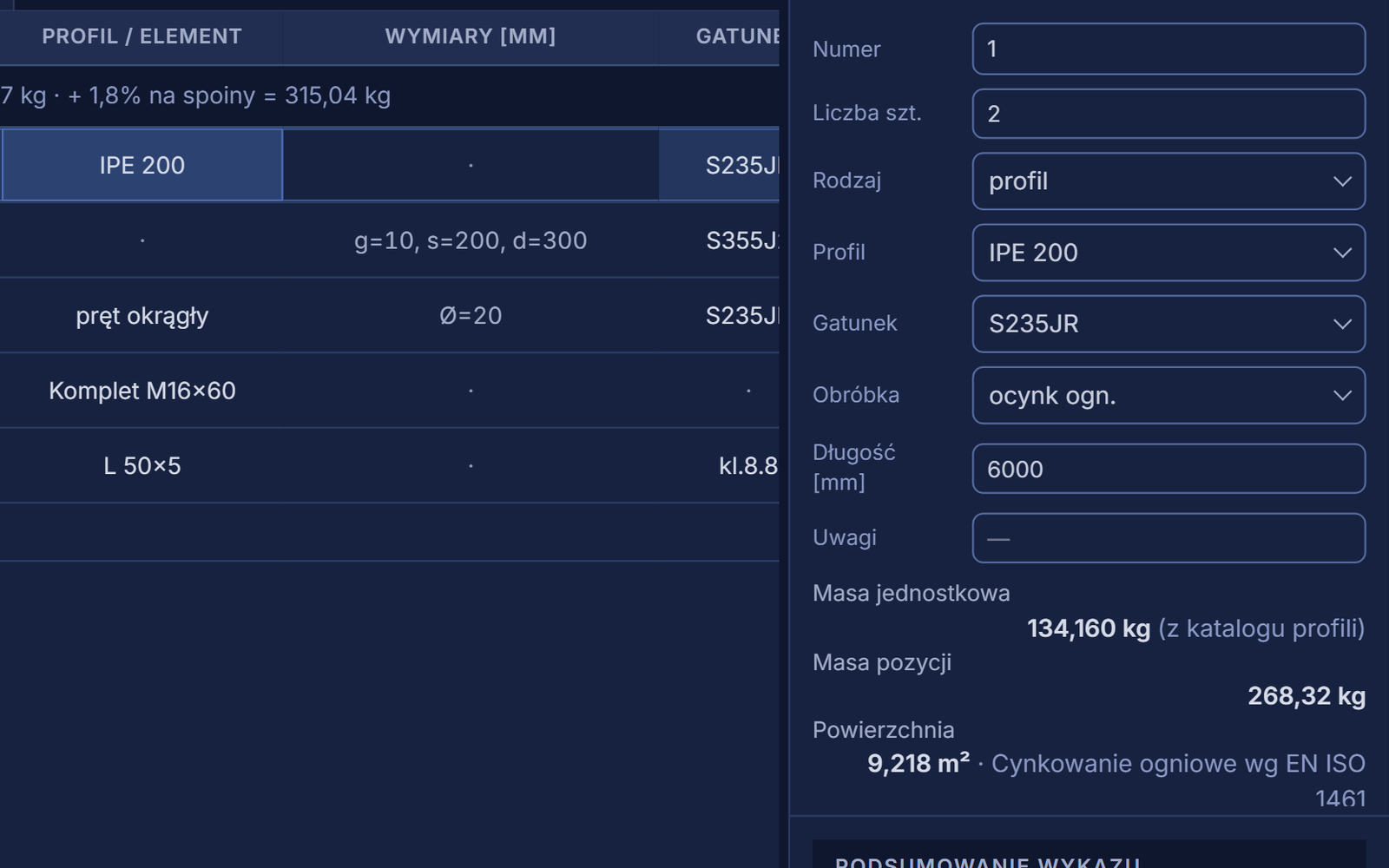
Schedule check as you work, before issue
A section or grade outside the set, a bolt class typed into the grade field, a missing dimension, an item without treatment — the check shows this as you work, and an error stops the release of a revision.
04Issue
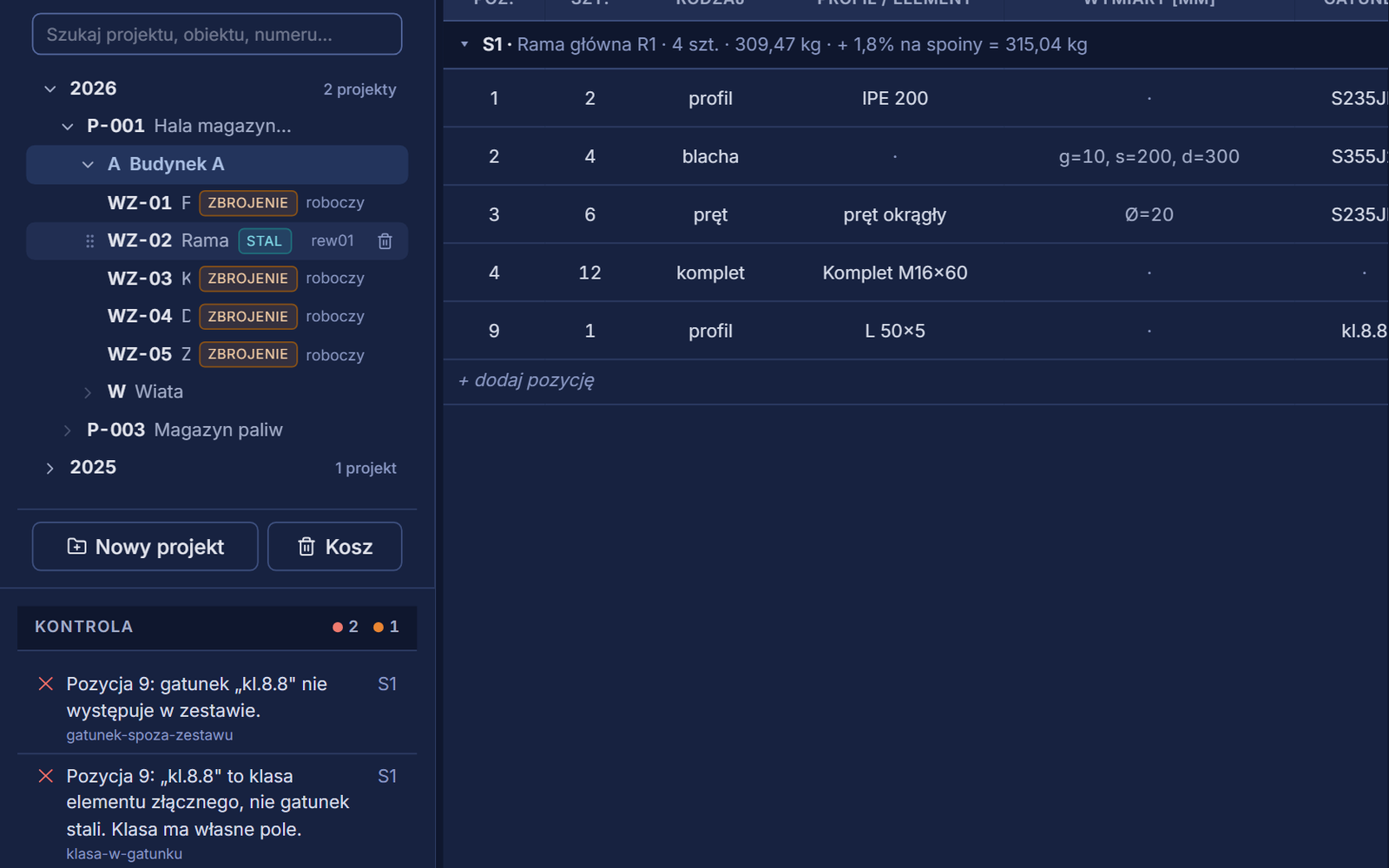
Revisions you can compare
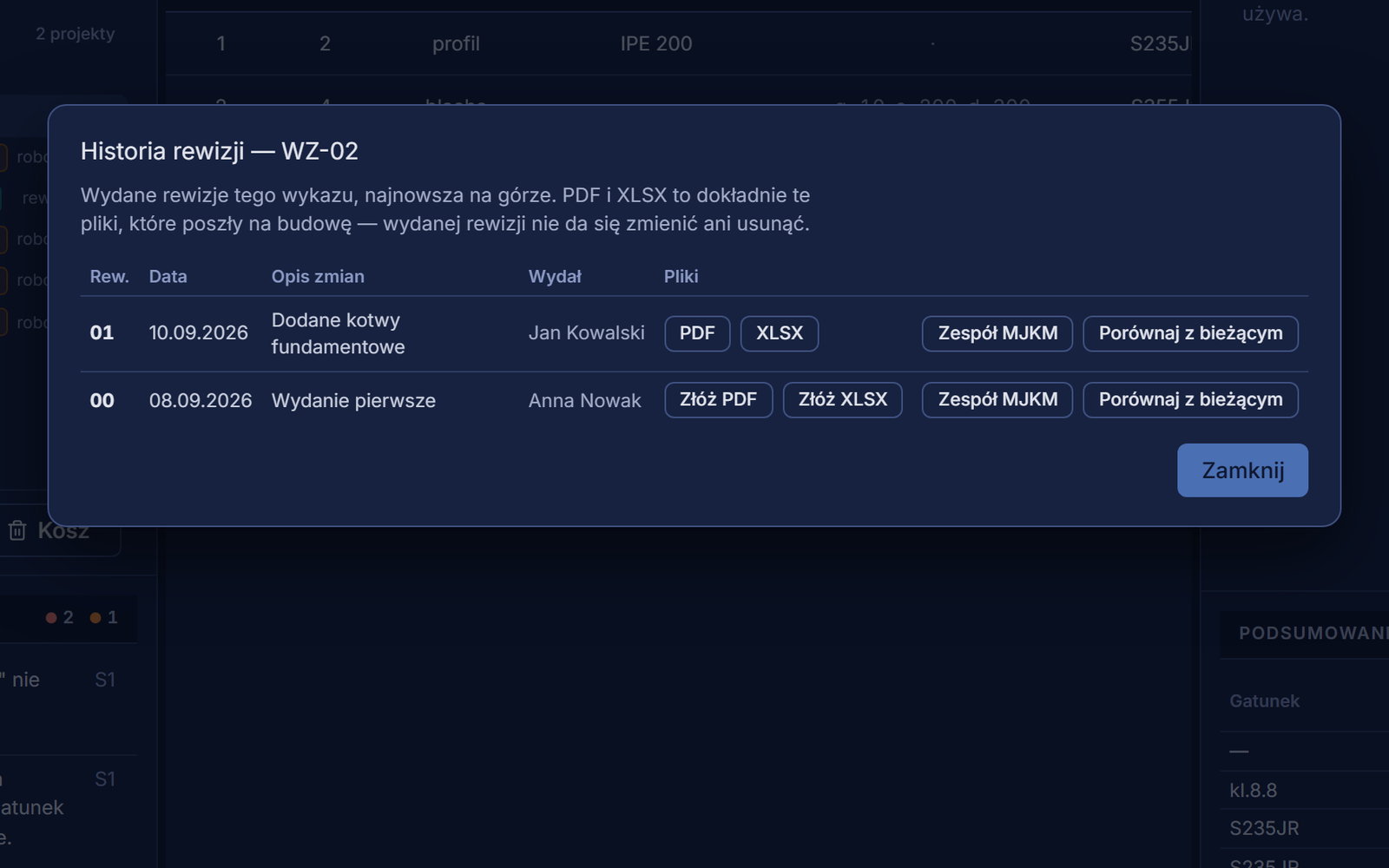
An issued revision freezes the item numbers and saves the PDF and XLSX files that went to site. Every revision can be compared with the current state of the schedule.
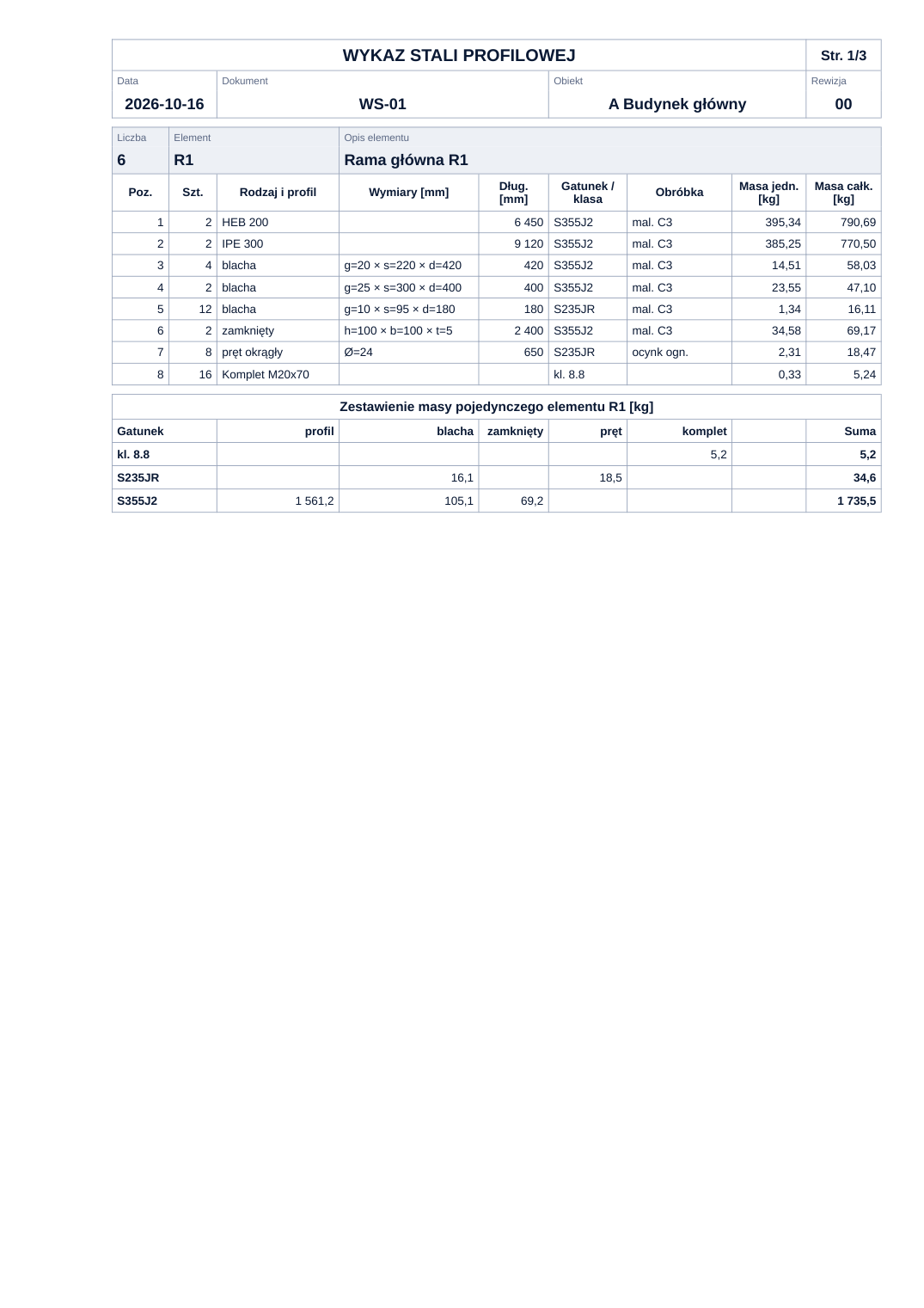
Document for the site
Fasteners by the piece, welding allowance
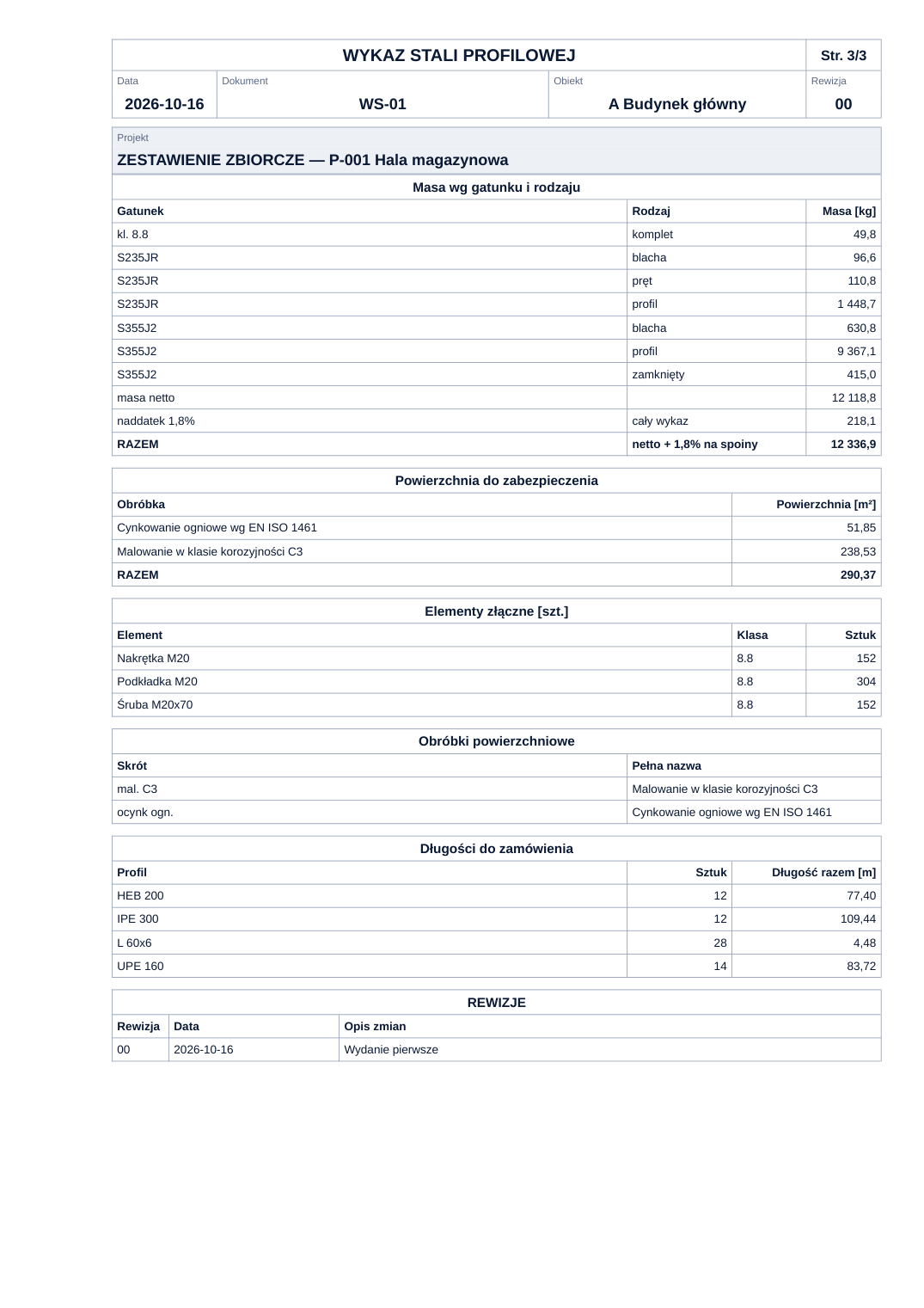
The summary sheet gathers the whole schedule: mass by grade and type with the welding allowance, surface area for protection by treatment, fasteners by the piece and section lengths for ordering.
- Up to 45 items per A4 sheet
- Sets broken down into bolts, nuts and washers
- Net mass and allowance shown separately — you can see how much each is and what it applies to
- PDF and XLSX from a single model, the figures in the spreadsheet are numbers
Catalogue
Catalogue of rolled sections to EN standards
- 115 rolled sections — IPE, HEA, HEB, HEM, UPE, UPN and equal-leg angles — with dimensions from EN 10365 and EN 10056
- Cross-sectional area and coating perimeter calculated from the dimensions, mass per metre at 7850 kg/m³
- Steel grades to EN 10025, fasteners with their class and floor gratings with mass per square metre
- In the full version, the team's own sets — for example gratings and fasteners from a regular supplier
Teamwork
One person edits, the others view
When one person has a schedule open, the others see it read-only and can ask for it to be released — no two versions of the same document.
Recycle bin and undo
Deleted schedules, elements and items go to the recycle bin, and recent changes can be undone.
Change history
For every schedule you can see who changed what, and when.
Team settings
Default sets, numbering rules, print settings and the welding allowance are set once — every new team schedule gets them straight away.
Free and full version
The free version lets you try it out. The full version saves and issues schedules for site.
Without creating an account you can enter a few items, see the numbering and the live check, and download a PDF document. That is enough to see whether Schedule suits the way your office works.
| Scope | Free | Full version |
|---|---|---|
| Items, numbering and a live schedule checkFree version: one schedule with one element and 3 items, no saving — it disappears when you close or refresh the page. | ✓ | ✓ |
| MJKM catalogues: sections, steel grades, fasteners and floor gratings | ✓ | ✓ |
| PDF documentFree version: with default settings, with a “free version” footer. | ✓ | ✓ |
| Saving schedules to the team account, with no limits on projects, structures, elements and items | — | ✓ |
| Issuing and comparing revisions, change history and recycle bin | — | ✓ |
| Custom numbering rules and styles | — | ✓ |
| All print settings and document headings in English | — | ✓ |
| XLSX spreadsheet | — | ✓ |
| The team's own sets: sections, grades, fasteners and gratings | — | ✓ |
| Several people working on one team's schedules | — | ✓ |
The free version works without an account and saves nothing — the schedule disappears when you close or refresh the page.
Questions and answers
When is Schedule launching?
Schedule is in the final stage of preparation. We will announce the launch date on this site.
Where do the section masses come from?
Section dimensions come from EN 10365 and EN 10056, and the cross-sectional area and perimeter are calculated from them; the mass per metre is obtained at a density of 7850 kg/m³. For UPN channels and angles the cross-sectional area is taken from the standard, because a simple formula does not describe a tapered flange.
Are the bolt masses exact?
They are approximate — calculated from the geometry of the head and shank. Fasteners are ordered by the piece, so the summary gives them in pieces, with sets broken down into components.
Does this licence also cover bar bending schedules?
No — bar bending schedules and structural steel schedules are two licences in one application. Both types sit side by side under the same structure, and the licence decides which schedules you can create.
Where are the schedules saved?
In the full version — on the team account on the MJKM platform, so the whole team works on the same schedules and the files of issued revisions are stored with the schedule. The free version saves nothing: the schedule disappears when you close or refresh the page.
Can the XLSX spreadsheet still be recalculated?
Yes. The figures in the spreadsheet are numbers, not text, and the pages break the same way as in the PDF.
What happens to the schedules when the licence ends?
Existing schedules remain available for viewing and export.
Schedule coming soon to your account
Until the launch we will gladly answer your questions about Schedule.