
Steel structures · STEEL
Calculations for steel members
- Critical moment
- Critical force
- Deflection
- Flexural buckling resistance
- Lateral-torsional buckling resistance
- More calculators — coming soon
5calculators
Standalone tool
Calculators for quick structural calculations, estimating a solution, checking assumptions and comparing variants. Calc shows the calculation procedure and the formulas used and, depending on the tool, also charts and summaries of results.
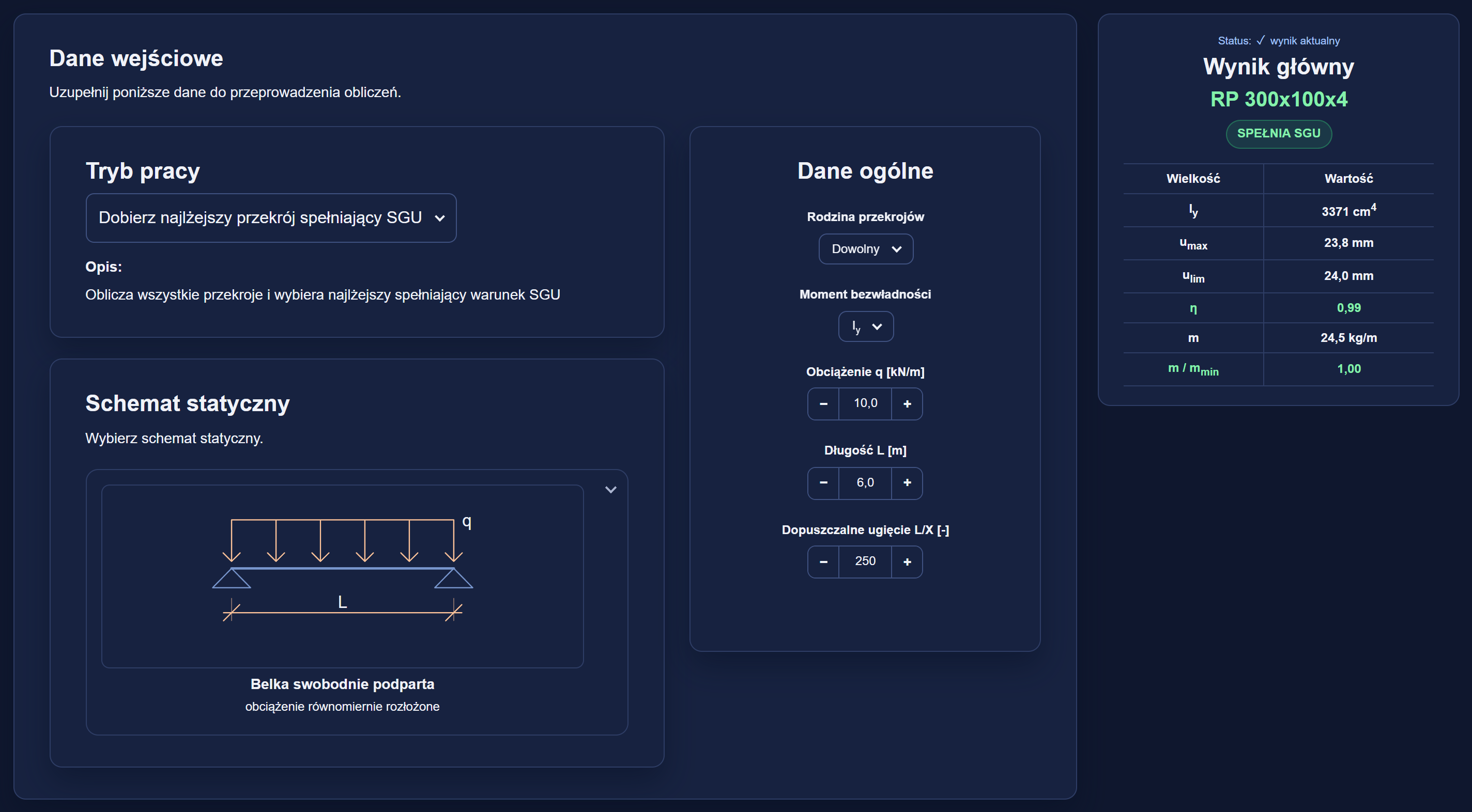
Example: the steel beam deflection calculator (STEEL-UMAX) in the PRO version.
How you work in Calc
Based on the data entered, the calculator determines the result and shows the successive stages of the calculation. In selected tools the result can also be presented on charts and compared with other variants. The functions available may differ in the other calculators.
Example: the steel beam deflection calculator (STEEL-UMAX) in the PRO version.
Step 01
The parameters and assumptions needed for the calculation are specified first. Based on them, the calculator determines the result for the selected problem.
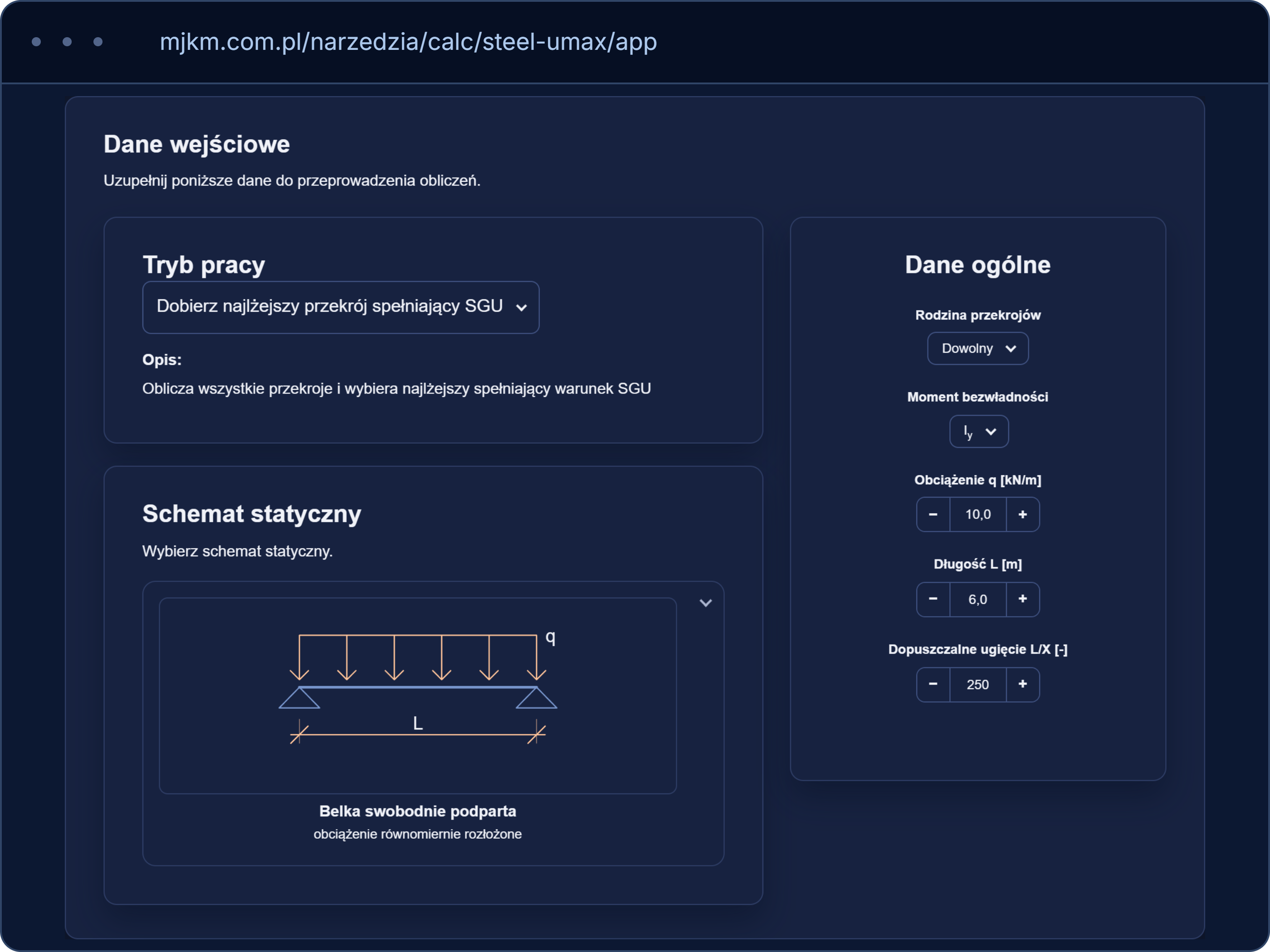
Step 02
The calculator gives the calculated value, the assessment of whether the condition is met or the selected solution. The most important auxiliary values are shown next to the result.
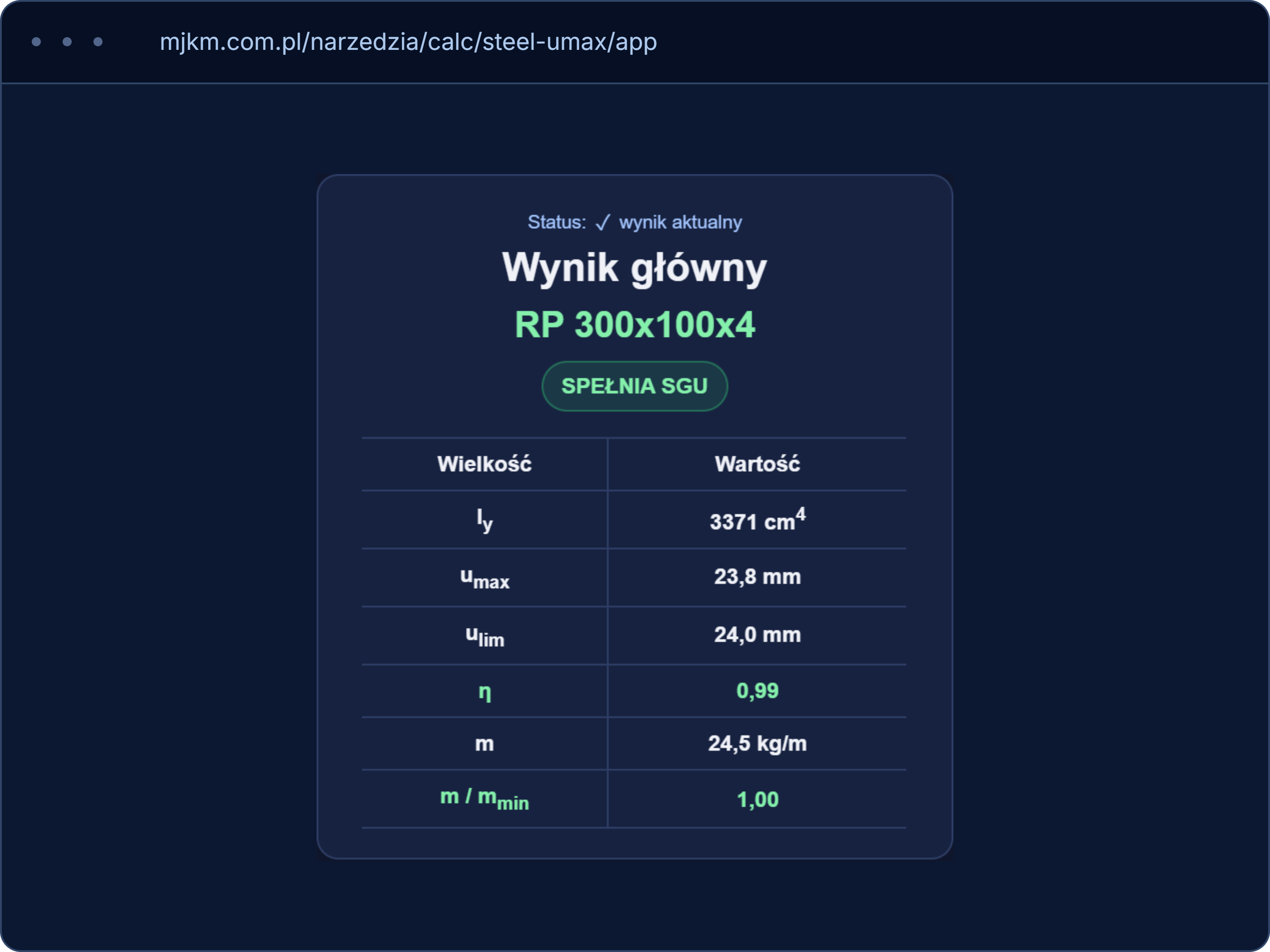
Step 03
The calculator shows the formulas used, the substitutions and the intermediate results. The successive stages explain where the final result comes from.
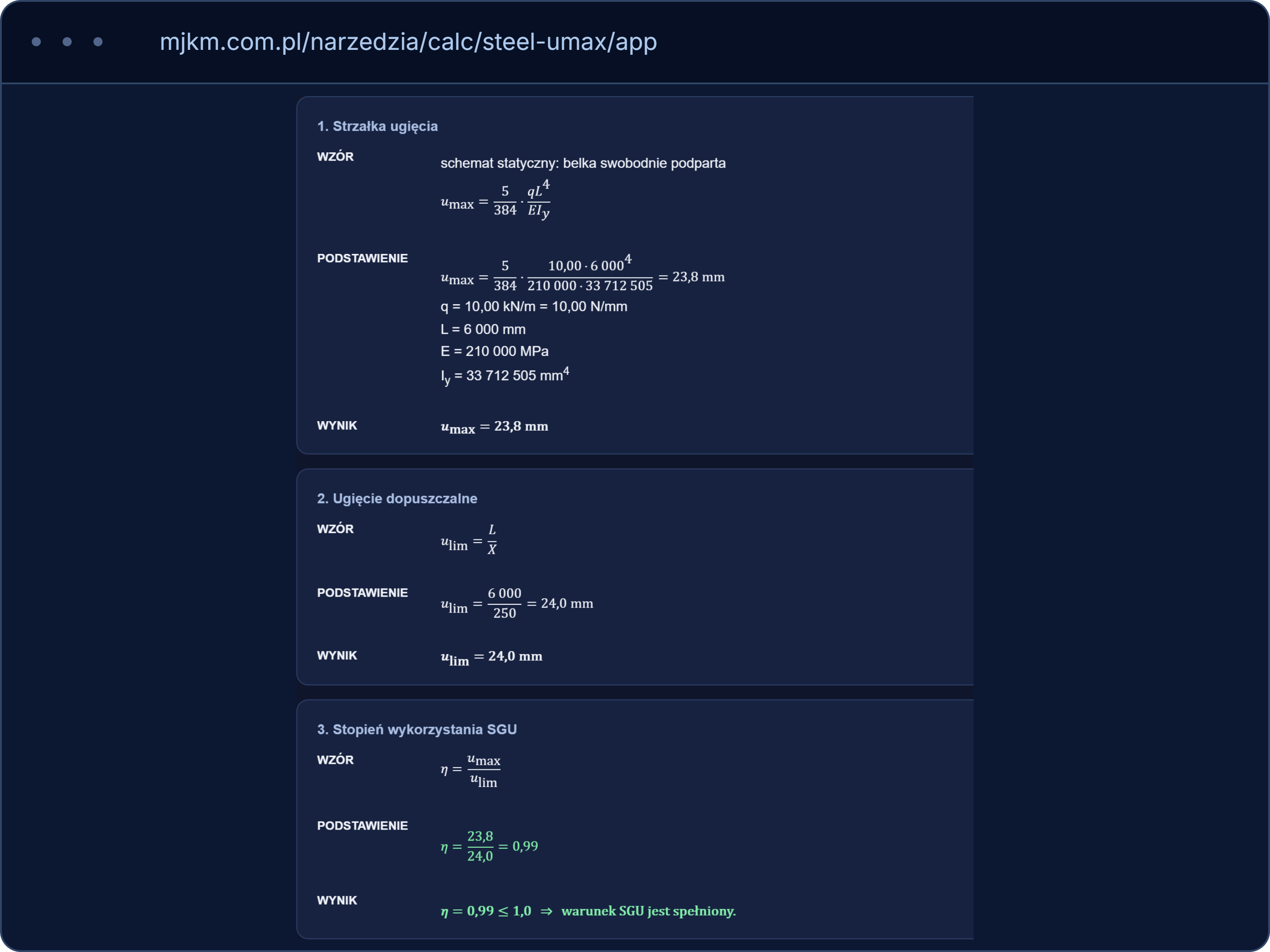
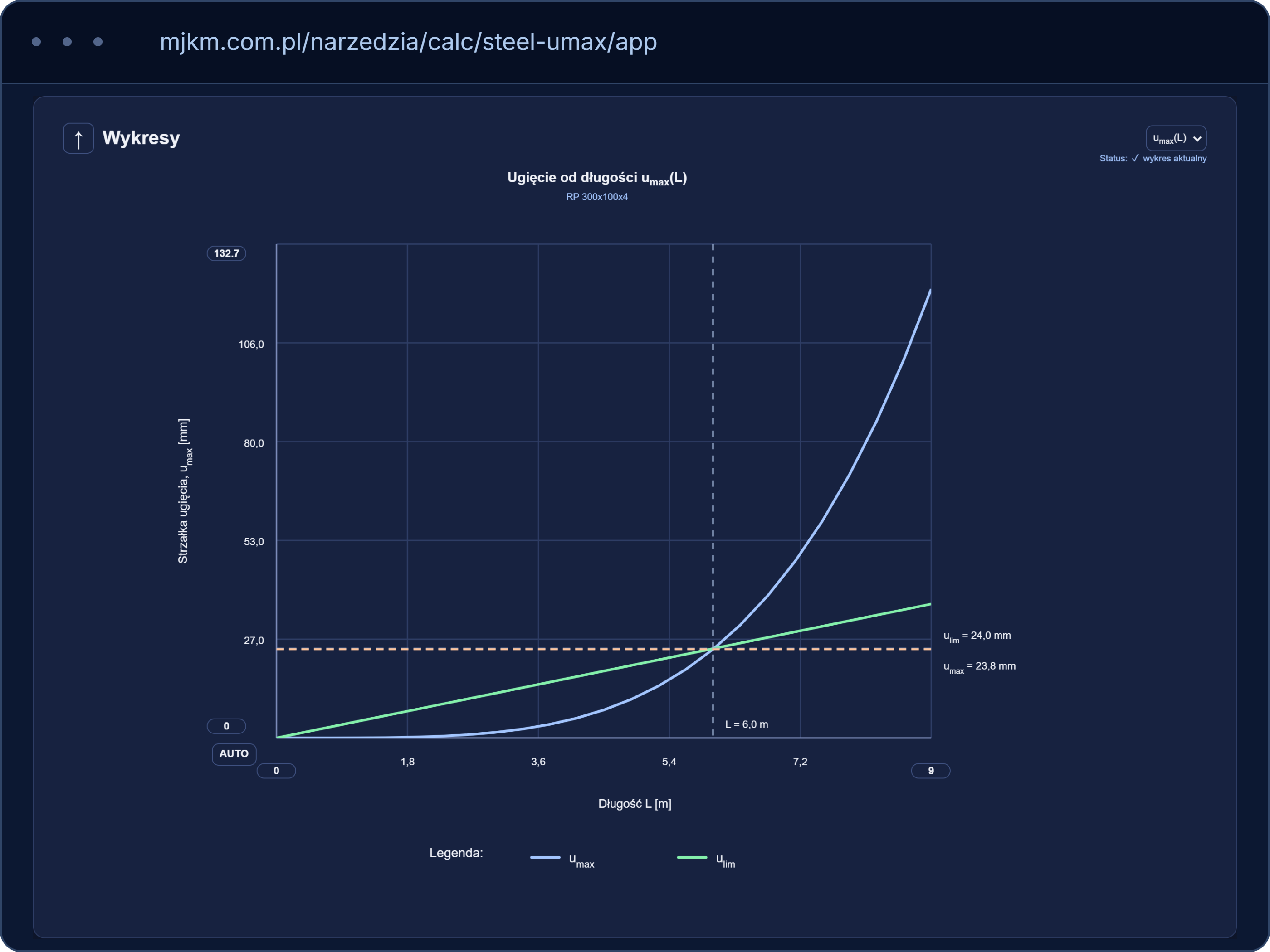
Step 04
Charts show how the calculated quantities vary. The range of charts depends on the calculator.
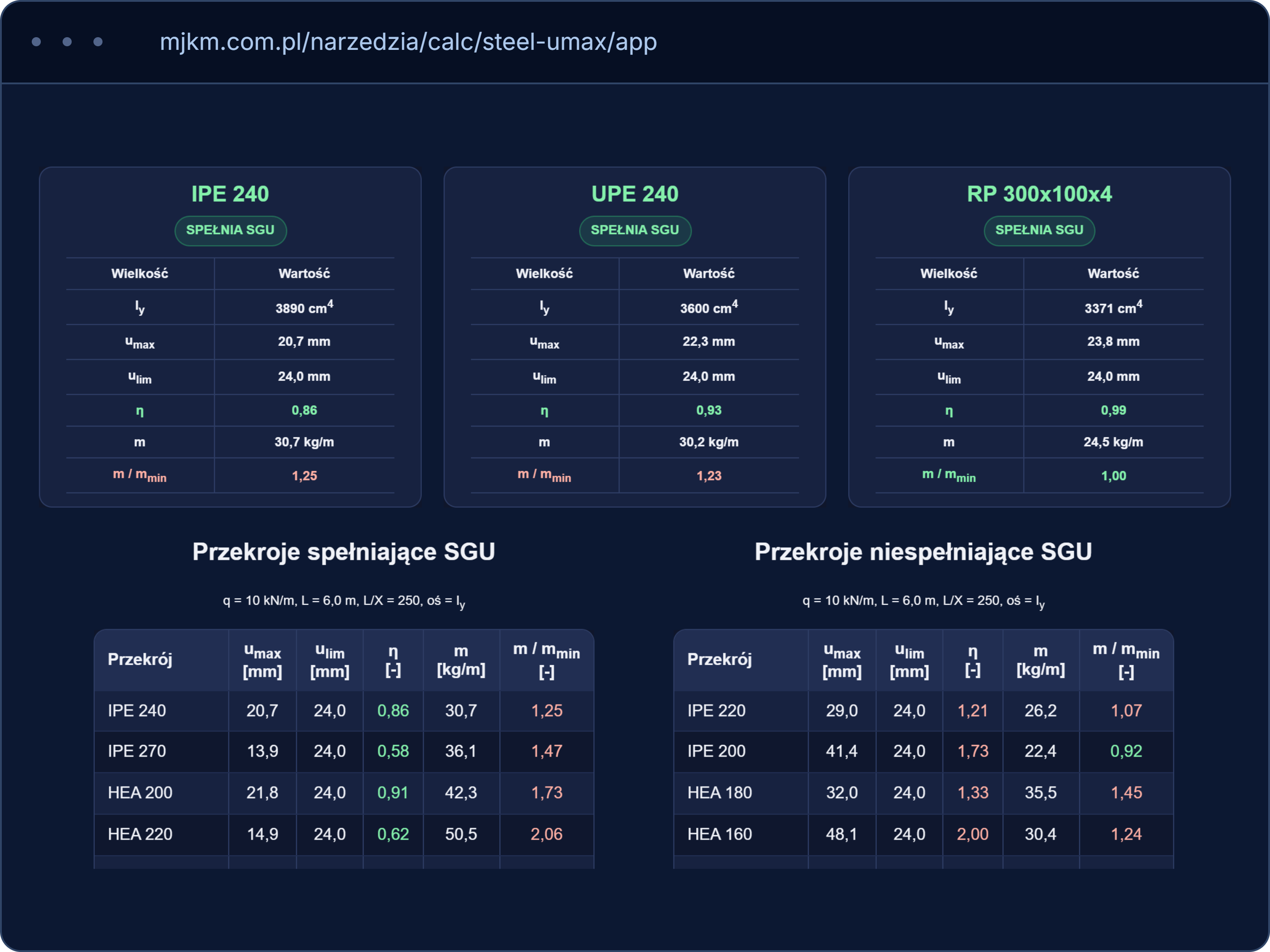
Step 05
Summaries make it possible to compare the results of different variants or calculation cases. The range of summaries available depends on the calculator.
Areas of calculation
Calc groups the tools by area of application. Each package includes calculators for specific structural or geotechnical problems. The current scope of the packages is shown below. The individual calculators are launched in the hub.
Calculations for steel members
5calculators
Calculations for reinforced concrete members
5calculators
Calculations for masonry members
3calculators
Geotechnical calculations grouped by type of problem
2calculators
Free and full version
The free version (FREE) lets you see how the calculator works and how it presents the results. You can trace the calculation procedure, the formulas used and the charts, if the calculator provides them. Changing the input data and access to selected advanced functions are limited. The extent of the limits depends on the calculator.
The full version (PRO) provides the full range of input data and functions supported by the calculator. In selected tools it also includes selecting a solution that satisfies the assumed conditions — for example the lightest steel section or the reinforcement with the smallest mass.
How it works
Calc runs in the browser, with nothing to install. The data you enter is sent to the server, which performs the calculations.
In the calculator you can read the result and trace the calculation procedure. The charts and comparison summaries available depend on the tool.
An internet connection is required to perform the calculations.
Questions and answers
No. Calc lets you perform calculations for a specific structural problem much as you would by hand, showing the formulas and the successive stages. It helps to estimate a solution, check the assumptions made, compare variants or independently verify a selected result. It supports design work but does not replace an analysis of the whole structure.
Yes. In selected calculators the PRO version can select a section or reinforcement that satisfies the assumed conditions. Depending on the tool, this may be, for example, the lightest steel section or the smallest required reinforcement. The available modes are described in each calculator.
Yes. The free version is available in the calculator hub without creating an account and without entering a card.
The free version lets you see how the calculator works and trace the calculation procedure for a limited range of input data. PRO provides the full range of data and modes supported by the tool. The detailed limits of the free version depend on the calculator.
No. One package covers all the calculators that belong to it. Access to the other packages is licensed separately.
Calc is a tool that supports structural calculations. Before the results are used in design documentation, a person holding the appropriate professional authorisation and qualifications should verify the input data, the calculation assumptions and the results obtained.
The free version opens in the browser without creating an account. For full versions and licences, please contact us.