
Standalone tool
Union
An IFC model coordination viewer. It merges models from all disciplines into one, manages coordination issues and delivers the result as a single report or a single IFC file — while the model stays on your computer the whole time.
How you work in Union
The coordination loop in six steps
From assembling the models to a report and a single IFC file for the discipline designers — and back to the start when the next model version arrives.
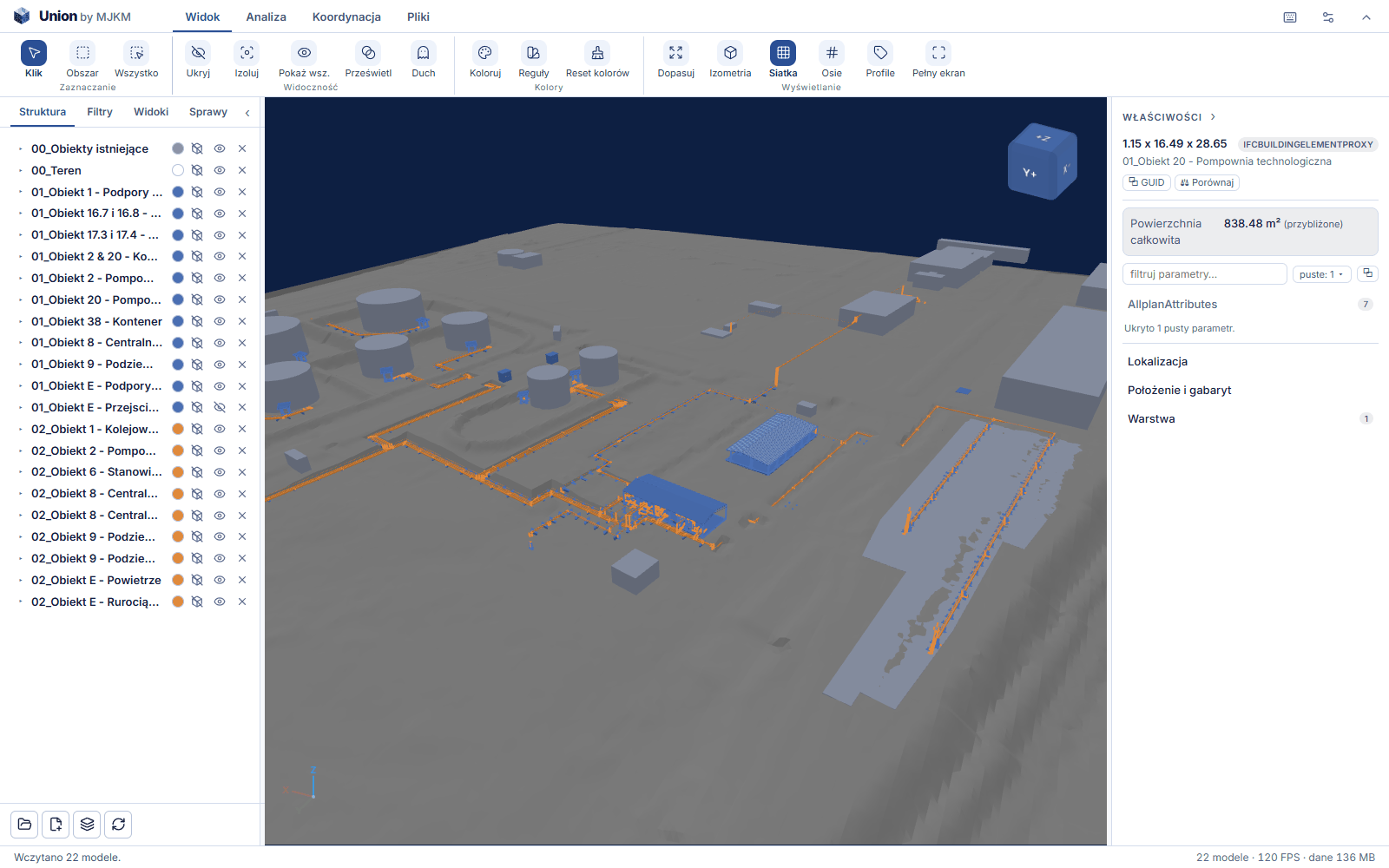
01Assemble
Models from all disciplines in one view
Structure, architecture and services open together — each model in its own colour, with the tree and the element properties. Union reads IFC2X3, IFC4 and IFC4X3 files and places a DXF drawing at 1:1 scale beneath the models — a map, a site plan or a floor plan.
02Inspect
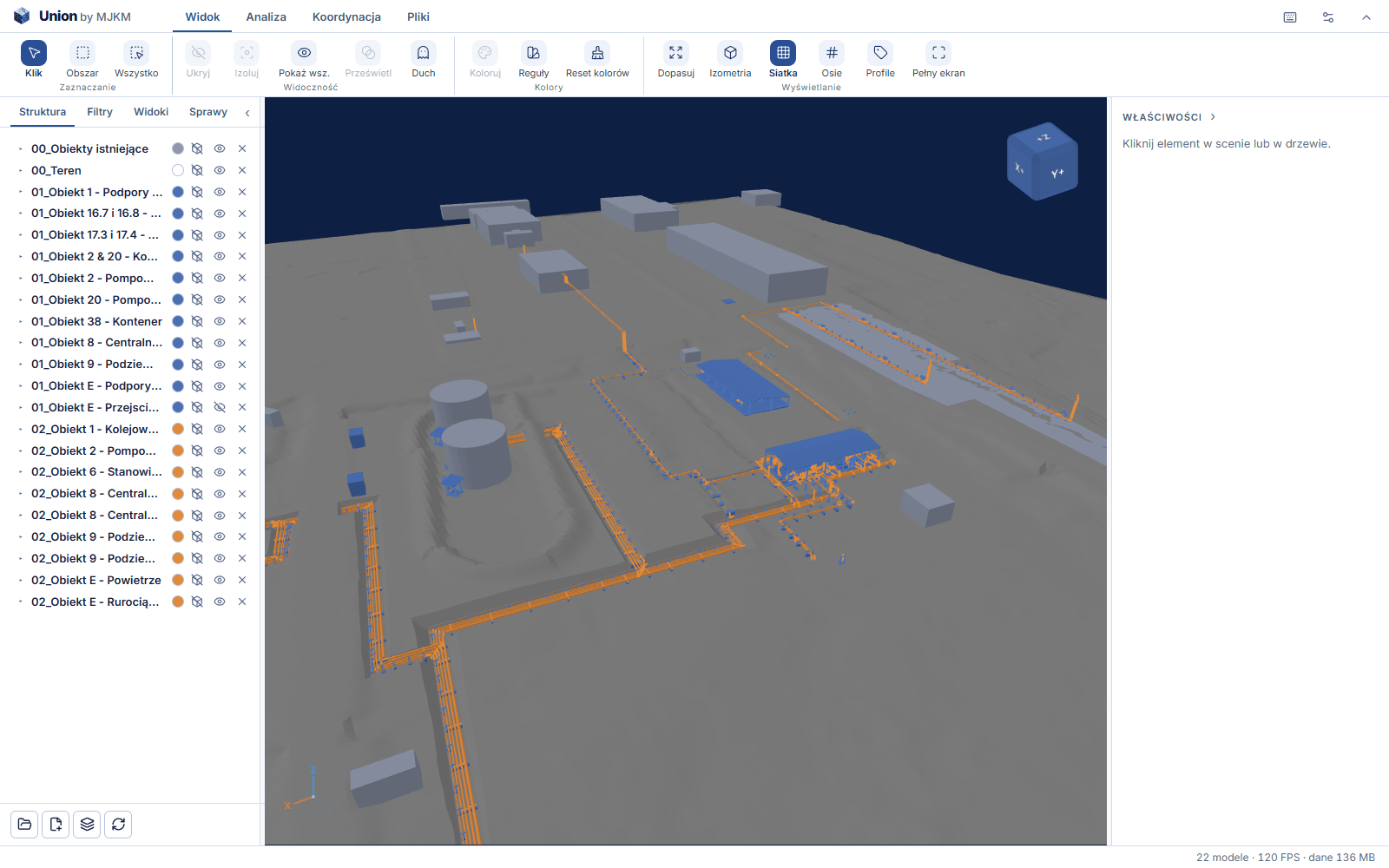
Find, section, measure
Filters by class, storey, model and any parameter, colouring rules and sections. Measurements of distances, angles, areas, volumes and mass, and the coordinates of a selected point — without going back to the program the model was created in.
03Mark up
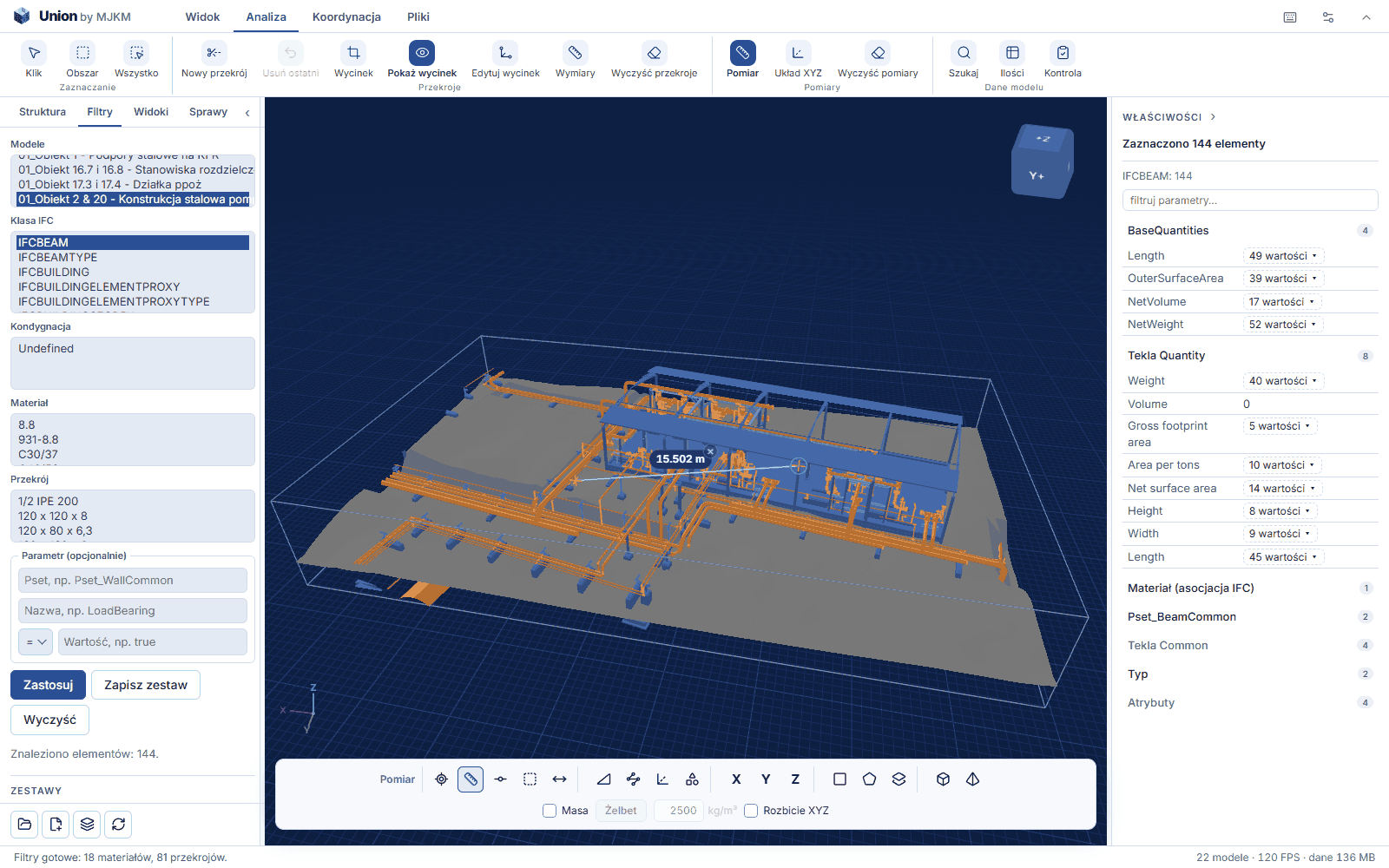
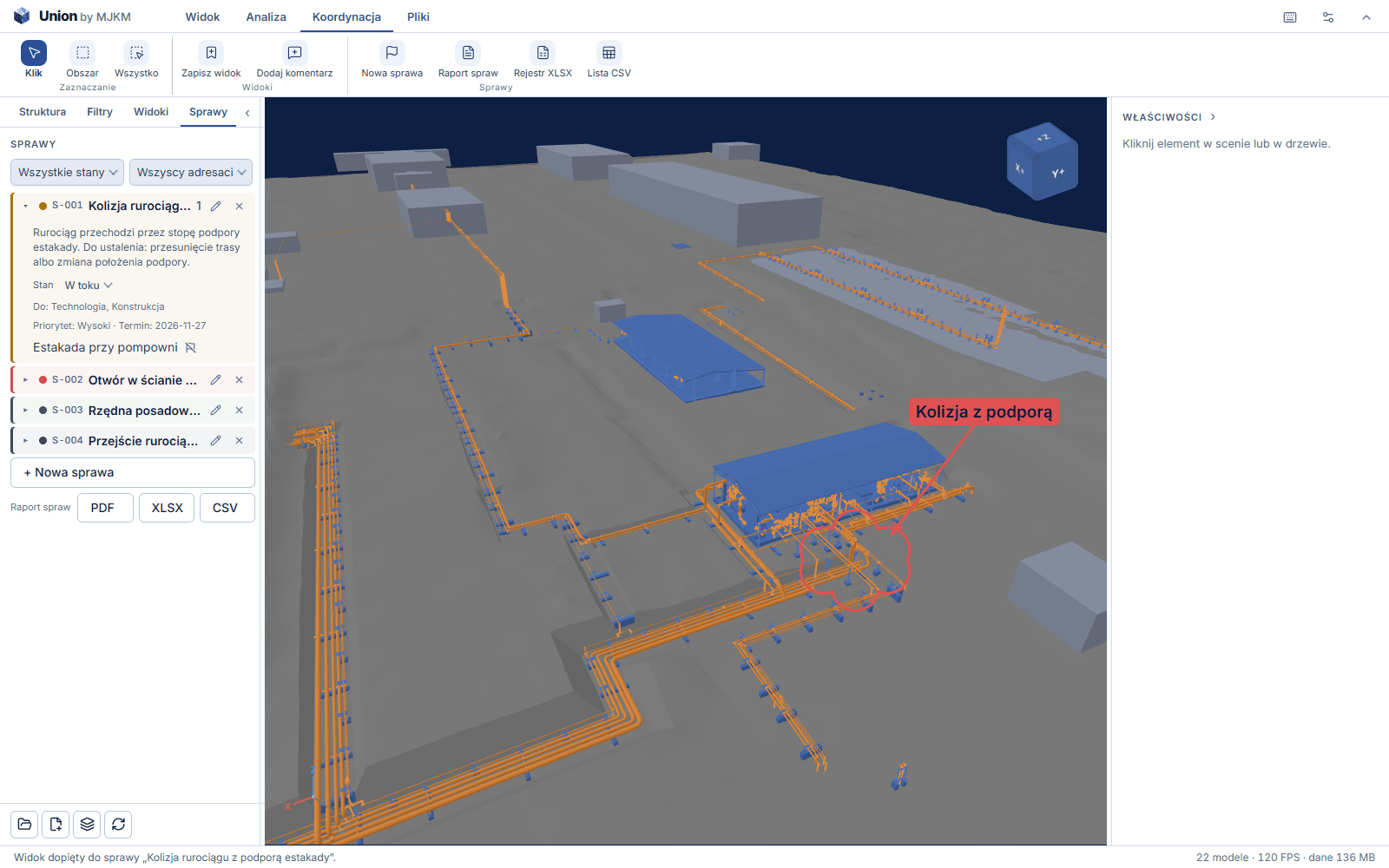
A note exactly where the problem is
A view stores a camera position, and a comment with a drawing and an on-screen label shows the exact spot it refers to — instead of a screenshot pasted into a message.
04Manage
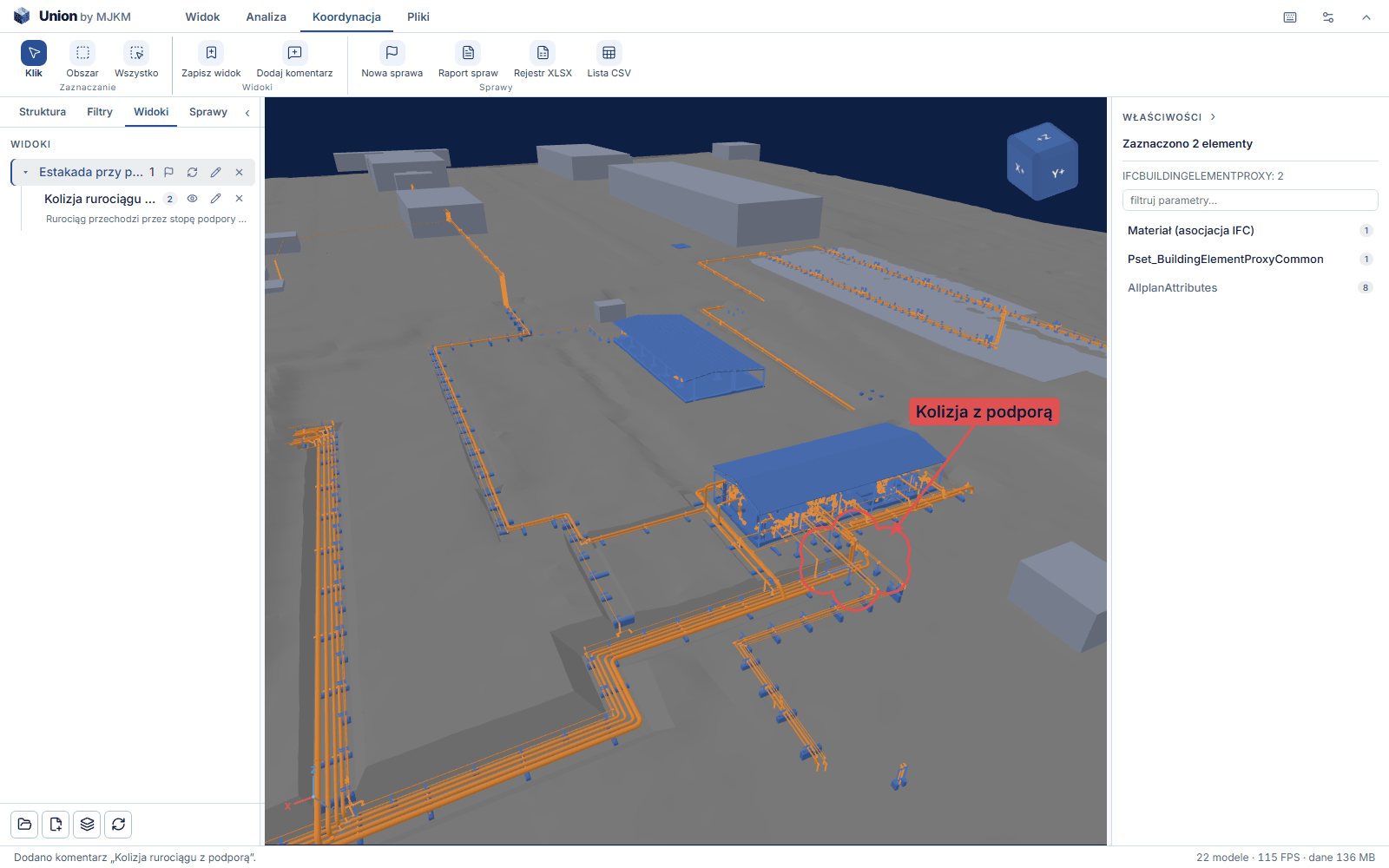
Issues instead of email threads
Each issue has a status — open, in progress, resolved, closed — an assignee and attached views. You can see what is waiting for whom and what has been closed.
05Report
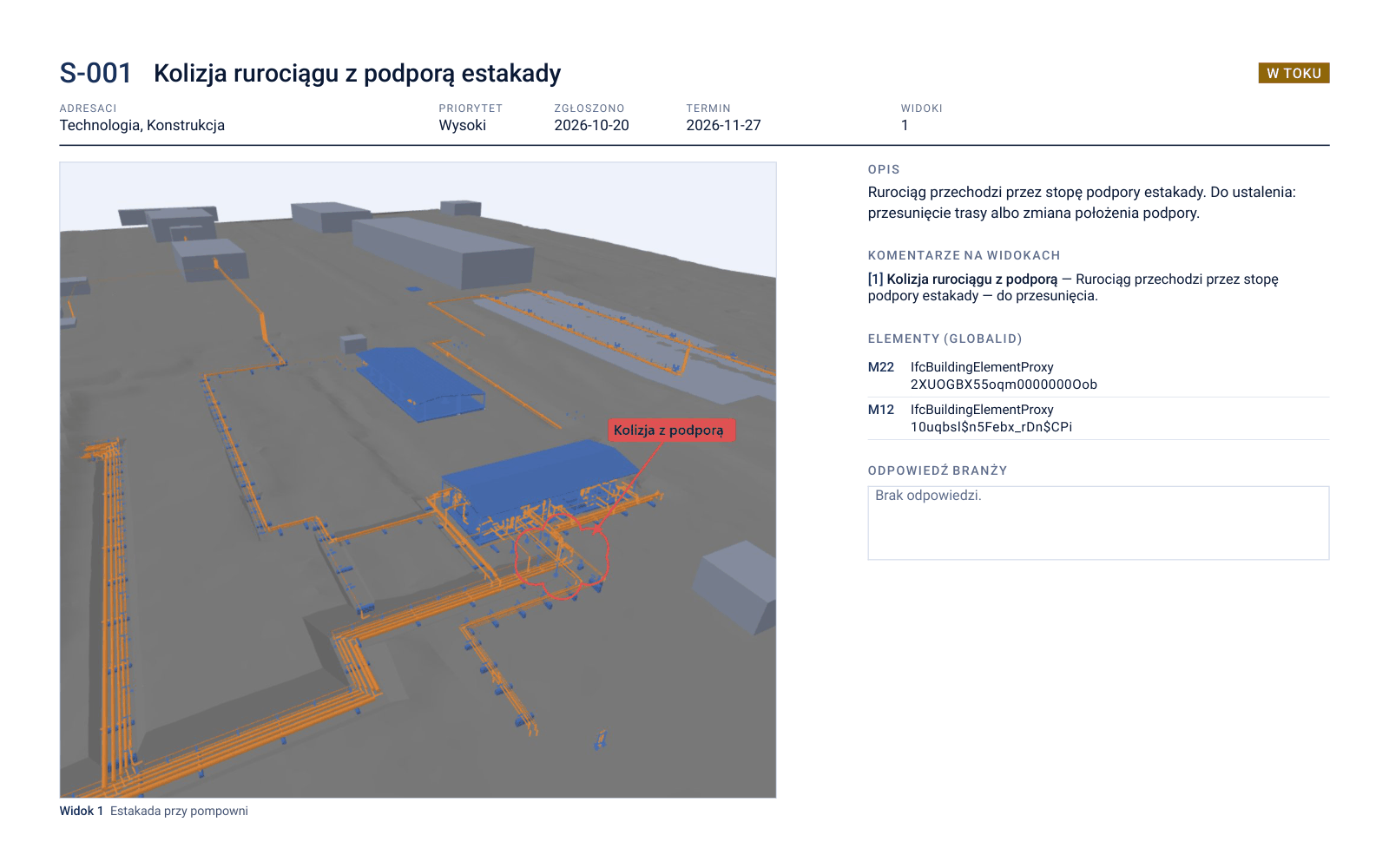
Coordination report as a PDF
Issues with their status, assignee and model views in a single document — in the scope you choose, for example without closed issues. Ready to send to the discipline designers.
06Merge
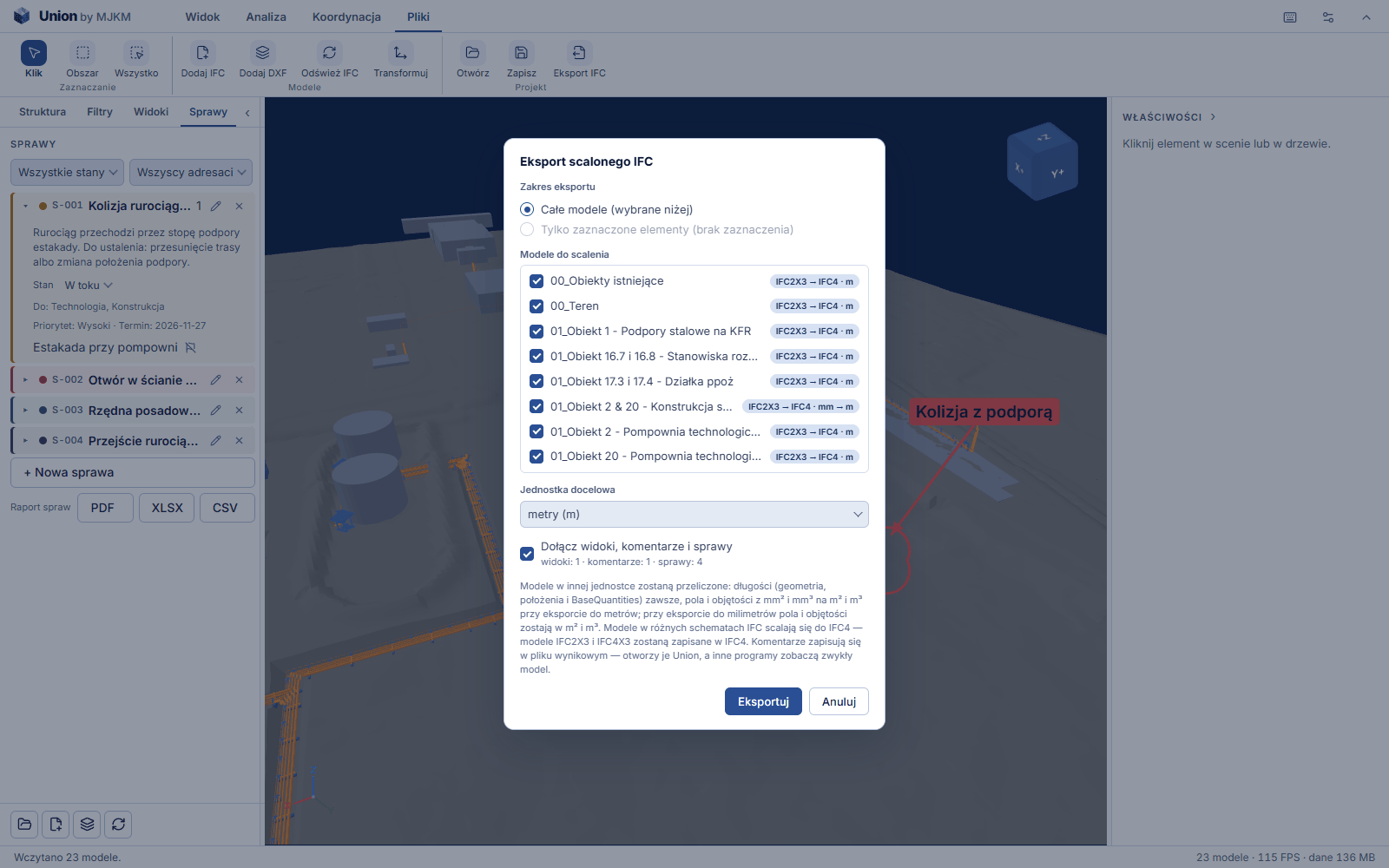
All models in a single IFC file
The merged model saved as one IFC file, in the unit you choose, with issues, views and comments inside. The recipient opens it in the free version of Union together with the issues and comments, and any other program that reads IFC shows an ordinary model.
Also useful
Quantity take-offs with the origin of each figure
For every quantity you can see where it comes from: a model property, a grid or a conversion. The result is exported as a document or a spreadsheet.
Refreshing after a new model version
When a discipline sends a new file, the project refreshes the models without assembling everything from scratch.
Model acceptance check
Before coordination you can see whether the model you received contains what is needed for further work.
Export with a change of units
A merged model saved in different units keeps its position on the map.
Privacy
The model stays on your computer
Union loads and displays IFC files in the browser. The application code is downloaded from the server, and the full version confirms the licence while you work. Model files are not sent to any server — neither ours nor anyone else's.
Where documentation is covered by a confidentiality agreement, this is usually a requirement rather than an advantage.
Free and full version
The free version views and measures. The full version produces documents and manages coordination.
One model can be opened free of charge — with navigation, filters, sections and all measurements. That is also enough for the recipient of a merged model: an IFC file from the full version opens in the free version together with the views and comments saved in it.
| Scope | Free | Full version |
|---|---|---|
| Opening an IFC modelFree version: one model at a time. | ✓ | ✓ |
| Navigation, model tree and element properties | ✓ | ✓ |
| Filters, sections, hiding and isolating elements | ✓ | ✓ |
| Measurements: distances, angles, areas, volumes, mass and point coordinates (X, Y, Z and E, N, H) | ✓ | ✓ |
| DXF drawing underlay beneath the models, with measurement to underlay pointsFree version: one underlay at a time. | ✓ | ✓ |
| Viewing the views and comments saved in the IFC file | ✓ | ✓ |
| More than one model at a time — federation | — | ✓ |
| Creating views and comments with a drawing | — | ✓ |
| Coordination issues and the coordination report | — | ✓ |
| Selection sets and colouring rules | — | ✓ |
| Quantity take-offs and reports as a document and as a spreadsheet | — | ✓ |
| Project file and refreshing models after the files change | — | ✓ |
| Saving the merged model to a single IFC with views and comments | — | ✓ |
| Saving the DXF underlay in the project file and in the merged IFC | — | ✓ |
The free version does not require an account.
Requirements
What Union runs on
Union runs on your computer, so the size of the model you can open depends on your hardware and your browser.
- Browser
- Google Chrome or Microsoft Edge, 64-bit, or Safari — the current version, with WebGL 2 support.
- Memory (RAM)
- At least 16 GB of RAM. For models over 200 MB we recommend 32 GB.
- Graphics card
- Any card with WebGL 2 support, including an integrated one. For large federations a dedicated card noticeably improves the smoothness of rotating the model.
- Internet connection
- Required. The full version confirms the licence on start-up and periodically while you work.
Questions and answers
Is the model file sent to a server?
No. Union loads and displays models in the browser, on your computer. Only the application code is downloaded from the server.
Which files does Union open?
IFC files in versions IFC2X3, IFC4 and IFC4X3. Older IFC2X2 files are opened in compatibility mode. It loads DXF drawings at 1:1 scale as an underlay beneath the models — with text, hatching and dashed lines, and with measurement to underlay points.
Is the free version enough to review a model from the coordinator?
Yes. A merged model from the full version is a single IFC file — the free version opens it together with the issues, views and comments saved in it and lets you measure it.
What happens if the model is too large?
The engine in the browser has about 3 GB of memory available, regardless of how much memory the computer has. If a model does not fit, Union tells you before loading or stops the import with an explanation.
Does Union check the correctness of the model?
Union shows and compiles what it finds in the model. The correctness of the model itself and the assessment of the results remain the designer's responsibility.
Try Union in practice
The free version opens in the browser without an account. The full version is available on request — please contact us.